Desktop Support Technician Resume: On-Site Work

Write a desktop support technician resume with a fictional workstation support sample. Show device setup, troubleshooting, verification and handoffs.

Template:

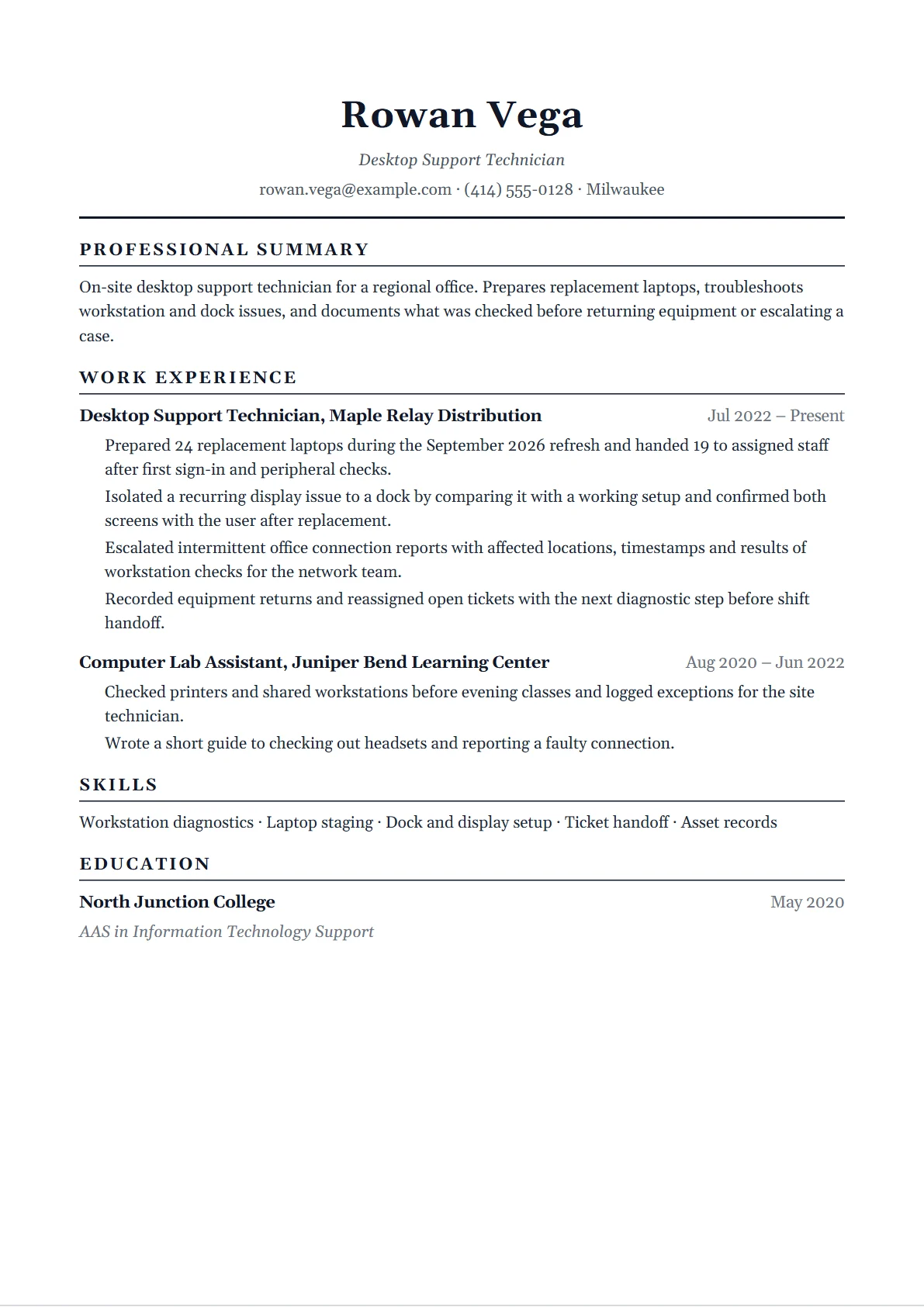
Fictional desktop support technician Rowan Vega. Employers, device counts and work examples are illustrative.

Why this resume works

  • Rowan's preparation and handoff bullets distinguish laptops staged from laptops assigned.
  • The dock example includes a check at the workstation after the change.
  • The escalation bullet describes the evidence the technician gathered and identifies the receiving team.
Edit & download this resume

Create a free account to edit this example and download a PDF with no watermark. Classic is free; Compact, Creative, and Bold require a Job Search Pass.

A desktop support technician resume should help a reader picture what happens when someone cannot work. Which device or service was affected? What did you check? Could you resolve the issue under your assigned access, or did another team need to take it? Then explain how you knew the person could get back to work.

Fictional technician Rowan Vega supports staff at a regional office. The example includes device replacements, individual troubleshooting and escalations to a network team. If your experience comes from a campus lab, a repair shop or a service desk, borrow the level of detail and give the work its actual setting. The portrait, editable resume and selectable text show the same fictional applicant.

Desktop support technician sample in selectable text

This is the fictional example shown above in selectable text. Use its structure, then replace every sample detail with your own. The image and editable example use the same resume data.

Rowan Vega

Desktop Support Technician

rowan.vega@example.com

(414) 555-0128

Milwaukee, WI, US

Summary

On-site desktop support technician for a regional office. Prepares replacement laptops, troubleshoots workstation and dock issues, and documents what was checked before returning equipment or escalating a case.

Experience

Desktop Support Technician

Maple Relay Distribution

From: Jul 2022

To: Present

  • Prepared 24 replacement laptops during the September 2026 refresh and handed 19 to assigned staff after first sign-in and peripheral checks.
  • Isolated a recurring display issue to a dock by comparing it with a working setup and confirmed both screens with the user after replacement.
  • Escalated intermittent office connection reports with affected locations, timestamps and results of workstation checks for the network team.
  • Recorded equipment returns and reassigned open tickets with the next diagnostic step before shift handoff.

Computer Lab Assistant

Juniper Bend Learning Center

From: Aug 2020

To: Jun 2022

  • Checked printers and shared workstations before evening classes and logged exceptions for the site technician.
  • Wrote a short guide to checking out headsets and reporting a faulty connection.

Skills

Workstation diagnostics

Laptop staging

Dock and display setup

Ticket handoff

Asset records

Education

AAS

Information Technology Support

North Junction College

To: May 2020

Computer user support duties

Official figures for Computer support specialists, broader occupation.

Troubleshooting
Diagnose and document user problems
Equipment
Set up or repair computer equipment and related devices
Support
Guide users through steps or train them to use equipment and software

BLS distinguishes user support from network support within the broader occupation. The mix of duties and access depends on the specific employer.

Source: U.S. Bureau of Labor Statistics occupation profile, checked November 2026.

How to show the work behind a closed ticket

1

Identify your support setting

Give the reader the environment first. On-site desks, shared training rooms and remote employees need different examples. Say who you supported and which devices you handled, then describe one issue in that setting. Job titles alone rarely tell the reader how often you worked directly at a workstation.

2

Write a before-and-after check

Give a symptom, one meaningful comparison and the check after the change. For a dock issue, testing against a known working setup is a stronger detail than saying you repaired hardware. If the user was present, explain what they confirmed. If nobody was available, state the test you actually ran.

3

Separate staging, handoff and closure

A prepared laptop can still be waiting for its owner, and an assigned device can still have open work. Use the exact status you tracked. When the team publishes a larger project total, put your own work in the bullet and identify the team total separately if the context is useful.

4

Make escalation evidence concrete

A good handoff saves another technician from starting over. Include the affected scope, when it happened and which approved checks you had already run. Use labels such as a building or device type when they are shareable. Leave out customer identifiers, internal hostnames, private tickets and actual logs.

5

Add qualifications at their actual level

Use the requirements on the job posting. If you completed a course, give the course and provider. If you hold a credential, verify the exact name and status. A lab practice task can demonstrate a skill when labeled as practice, and a credential entry should describe what you actually earned.

6

Replace the sample data and check the PDF

Open the example through your CVPoet account and choose free Classic. Replace Rowan's fictional details and use Save or Update as shown before downloading the PDF. Open the exported file to check names, dates and the end of each bullet. Follow the employer's requested file format and fields.

Skills and keywords for a desktop support technician resume

Start with the kind of trouble the posting expects you to resolve. On-site postings often distinguish device swaps, printers, peripherals and meeting spaces from the identity or network work another team owns. Mention the permissions you used only if they help the reader understand your role. For example, you might have followed an approved enrollment checklist and sent a blocked enrollment to an endpoint administrator.

For a service desk background, make one physical-device task easy to find. For a repair background, show how you recorded the outcome and handed the device back. A tool list can support either story when each tool is connected to a task you performed. Skip versions and products you only watched someone else use.

Hard skills

  • Workstation and peripheral checks
  • Device preparation and user handoff
  • Asset inventory and returns
  • Approved troubleshooting and escalation

Soft skills

  • Writing a usable ticket
  • Explaining next steps to staff
  • Coordinating a change around someone's work

Tools and software

  • Ticket and inventory tools you used
  • Endpoint tools you used within approved access
  • Remote-support tools operated with authorization

Desktop support technician resume summary examples

These fictional openings show how to lead from three different settings. Choose details you can explain from your own work.

Campus lab assistant

Computer lab assistant who prepares shared devices and peripherals for classes. Records setup exceptions and hands faults to the site technician with the checks already completed.

On-site desktop technician

Desktop support technician for a multi-department office. Prepares replacement laptops, isolates workstation and dock issues and verifies equipment with users before handoff.

Service desk technician moving on-site

Support technician with remote troubleshooting and ticket ownership experience. Has also handled scheduled office device swaps and documented what still required an administrator.

Desktop support technician resume bullet examples

Use these independent fictional bullets to choose a scope and a verification step. You can describe the work clearly even when an exact count is unavailable.

  • Checked first sign-in and monitor setup with each staff member receiving an assigned replacement laptop.
  • Compared a failing headset with a working unit and verified microphone input in the approved conferencing application.
  • Logged returned adapters and laptops against the asset list before sending the devices for inspection.
  • Created a ticket handoff checklist covering symptom, location, approved checks and next owner.
  • Confirmed that a newly assigned printer appeared in the approved print queue and printed a test page with the user.
  • Separated device faults from application access issues and sent each case to the relevant support team.
  • Scheduled replacement windows with office coordinators to keep shared workstations available during training.
  • Grouped repeat dock reports by model for the endpoint team and noted where the symptom could be reproduced.
  • Rechecked the original task after a repair by opening the same approved application at the workstation.
  • Wrote a short first-day device guide and tested the steps with a technician who had not used the draft.

Training and credentials for a support resume

The BLS computer support profile describes several preparation routes and employer-dependent expectations. Read the actual posting and give a credential its exact title, issuer and verified status. Include a relevant workshop as training and use a labeled lab project to show practice when you have limited paid experience.

  • Completed education. Use the actual credential title, institution and completion date.
  • Certification. State the issuer and verify whether the credential is current before listing its status.
  • Hands-on training. Label classroom, volunteer and practice device work with the setting and level of supervision.

The example, line by line

Opening and scope

Rowan names a regional office, device replacements and user verification. The statement prepares the reader for the examples below without claiming administrator access.

Worked revision

Replace the vague fictional phrase “fixed monitor issues” with “Isolated a recurring display issue to a dock by comparing it with a working setup and confirmed both screens with the user after replacement.” The comparison shows the diagnostic choice. The final check makes the outcome understandable without a ticket total.

Refresh and escalation

The replacement bullet names the personal staging and handoff stages. The network example makes clear that the receiving team took the next step. Those are different responsibilities.

Checks to make before you submit

  • Unclear device counts. Specify whether the count describes preparation, assignment or return and keep the time period.
  • Broad network claims. Describe the workstation checks and the team that owned the next decision.
  • Private ticket material. Explain the troubleshooting without copying names, screenshots, live addresses or logs.
  • Vague resolution language. State how a user or test verified the specific issue after your change.

Compare related examples when the posting emphasizes remote support, managed systems or network responsibility.

Every example is in the resume examples hub, grouped by job and situation.

Build it free, no watermark

Create a free CVPoet account before editing. Start from this example in the free Classic template or start a blank page, and download a PDF with no watermark. Compact, Creative, and Bold are available with a Job Search Pass.

Frequently asked questions

What should a desktop support technician resume lead with?

State where you supported users and the devices or workstations you handled. Choose an example that matches the posting's most frequent problems.

How do I make a resolved ticket useful on my resume?

Give the symptom, one check that narrowed it down, and how you verified the result. Keep details at a level you can share.

What if my job also included service desk work?

Keep your actual title and show both responsibilities if relevant. Put hands-on workstation examples first for an on-site desktop support job.

Can I list a team device refresh total?

Label it as a team total and specify your own work separately. State whether your figure counts staging, handoff, completion or returns.

How should I describe an escalation?

Name what you checked, what evidence you collected and which team owned the next step. You can show a useful handoff without claiming the final fix.

Should I include logs or ticket screenshots?

Use an approved, anonymized demonstration if a work sample is requested. Private logs, account identifiers and customer tickets should stay in their original system.

How do I write a bullet without reliable ticket totals?

Describe the type of issue, your diagnostic choice and a verification step. Use a number only when you can explain how it was counted.

Can I use a computer lab or volunteer example?

Yes. Label the setting and your level of responsibility. Pick a real task that connects to the target role.

Where should I list certifications?

Use a short qualifications section if the credential is relevant. Verify the exact title, issuer and current status, and label courses as training.

How do I edit and export Rowan's sample?

Open it through your CVPoet account in free Classic, replace the fictional details, save or update, and download your PDF. Review the export before sending it.

Edit the fictional desktop support resume

Open the sample through your CVPoet account in free Classic, replace the support examples and download your PDF.

Build your resume, free
On-site support and laptop replacements
On-site support and laptop replacements The example above as an image, to save or share. To change it, use Edit & download this resume at the top of the page. Open the full-size image
Premium

More ways to make your CV yours

Unlock all three premium designs with a Job Search Pass. Your written content stays exactly as it is. Classic is always free.

Included with your pass

$12 once for 30 days

No subscription. Nothing renews. A 90-day pass is also available.

See Job Search Passes

Pass options open in a new tab. Your draft stays here.